+info




Product details
Freestyle Libre 2 1 unit is a flash glucose monitoring system based on sensors that allows you to know glucose levels continuously. It is designed to facilitate glucose tracking through detailed reports, and does not require calibration by the user.
This device offers automatic updates every minute, optional alarms, and the possibility of scanning. The sensor is placed on the back of the arm and measures glucose in the interstitial fluid both day and night, for a maximum of 15 days.
It is compatible with the FreeStyle LibreLink app, providing automatic minute-by-minute readings, trend alerts, and configurable alarms.
Indicated for children, young people, and adults with type 1 or type 2 diabetes. Suitable from 2 years old.
Step 1. Setup
Make sure the sensor is placed on the back of your arm, the app is correctly installed on your phone, you have completed the setup process, and your phone is on and unlocked.
Step 2. Scan the sensor
Keep the following in mind when scanning a sensor:
FreeStyle LibreLink uses your phone's NFC (near-field communication) connection to communicate with the FreeStyle Libre 2 sensor.
If you have previously used the FreeStyle Libre 2 reader, you may notice differences in scanning performance when scanning a sensor with a mobile phone. You may need to change your scanning technique, as the NFC performance of phones varies by brand and model.
For Android phones:
Keep the back of your smartphone close to the sensor (this can be done through clothing) and place the NFC antenna over the sensor.
Do not move the smartphone until you hear the first tone or feel a vibration. This indicates that your smartphone and sensor have established an NFC connection.
Continue to keep your smartphone close to the sensor until you hear a second tone or feel a vibration. This completes the scan.
For iPhone:
Open the app
Tap the scan button
You can tap the blue box on the home screen or the icon at the top right
If the Ready to Explore dialog box disappears, tap the scan button again
Now, the NFC function will activate and the iPhone will be ready to scan the sensor
Keep the top of the iPhone close to the sensor (this can be done through clothing). Do not move the iPhone until you hear a tone and/or feel a vibration. This completes the scan.
Once you determine the location of the NFC antenna on your phone, to reliably scan the sensor, keep that area of the phone against the sensor.
In addition to proximity and orientation, other factors can affect the performance of the NFC function. For example, a bulky or metal phone case may interfere with the NFC signal.
When starting the sensor, you will see a countdown message on the screen, indicating that the sensor has started correctly and is activating.
Step 3. Wait
Wait 60 minutes until the sensor is activated.
Step 4. The sensor is ready
If notifications are enabled, you will see a notification when the sensor is ready to use. You can start scanning the sensor with your phone to get your current glucose readings using the same method you used to start the sensor.
opinions
- JOSÉ M.
Effective self-monitoring of glucose, avoiding frequent finger pricks, and easy to adhere to the skin. Recommended for type 1 diabetics.
- Santiago G.
The product has no problems.
- Gloria S.
Yes, I recommend it for people with sugar
- Juan A.
I recommend its use for people who want to control their glucose
- santiago A.
Wonderful product
- besnard M.
Fast delivery.
- Gloria S.
I liked it and recommend it to diabetics
- Erik B.
Great, a little expensive compared to the average. Should have some offer for volume of order
- Alejo P.
Very useful for diabetics, it avoids finger pricks.
- Alessandro L.
well
- blanca H.
It did not work, on the second day it told me that the sensor was exhausted
- Jean C.
Very useful for diabetics
- Oposur G.
OUT OF THE LAST TWO ORDERS, 3 OF MY PATIENTS' GLUCOMETERS HAVE FALLEN OFF
- venditti J.
this time I received a faulty product, I'm waiting to see how this problem is resolved
- louis B.
corresponds to the demand but has not yet been used
- Fabien L.
Good
- jacquelne L.
perfect
- Michèle W.
Essential product for diabetics to monitor blood glucose levels and avoid hypoglycemia and hyperglycemia.
- Gloria S.
I recommend that you check your glucose levels
- Minkeung J.
You can check it in real time with the application. Great !
New in Glucometers
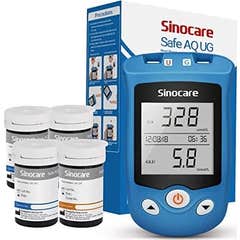
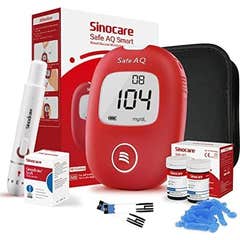
- Sinocare Safe Aq Smart Kit 250 + Glucometer + Bag
- Sinocare Safe Aq Smart Kit 100 + Glucometer + Bag
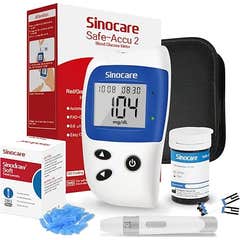
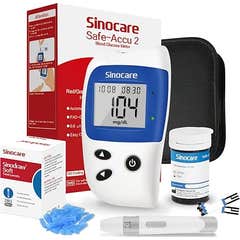
- Sinocare Safe-Accu2 Glucometer Kit
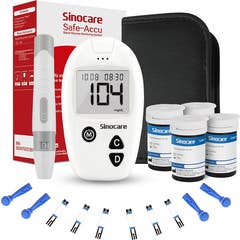
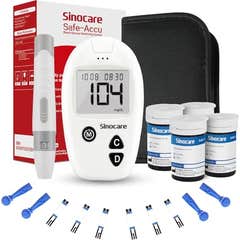
- Sinocare Safe Accu Blood Glucose Meter Kit
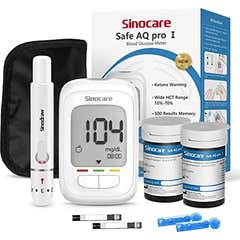
- Sinocare Safe Aq Pro I Glucometer Kit
- Sinocare Safe Accu Glucometer Kit
- Sinocare Safe Accu Glucometer Kit
- Sinocare Safe-Accu2 Glucometer Kit
- Sinocare Safe Aq Pro I Glucometer Kit
- Sinocare Safe Accu Glucometer Kit